


AI Avatar: AI Headshots, DP
3.297.00 Reviews
App Specs
- Version
- 2.1.38.0
- Updated On
- License
- Free
- Downloads
- 1,000,000+
- Developer
- Generative AI Magic Tools By Phot.AI
- Categories
- Art & Design
- Platform
- Android
Screenshots
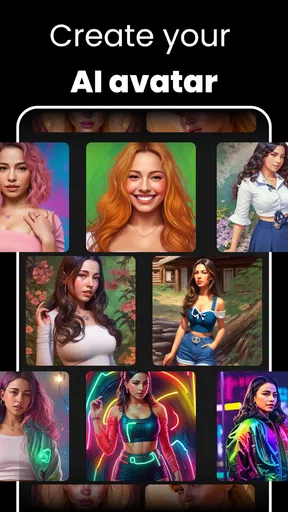
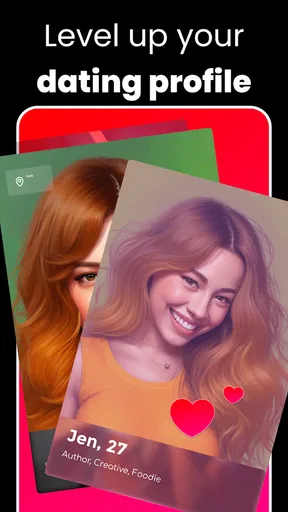
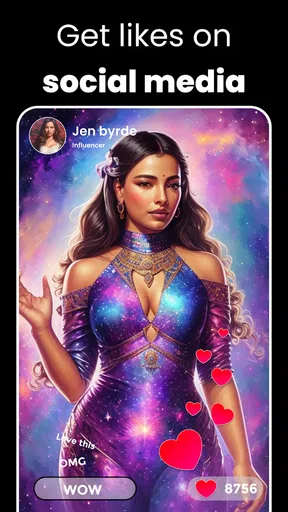
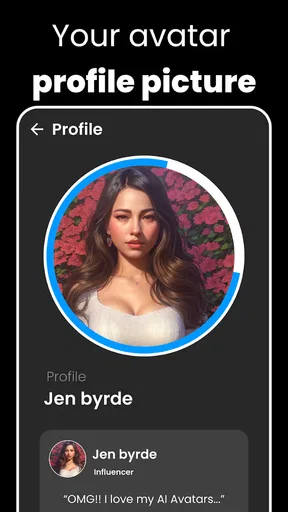
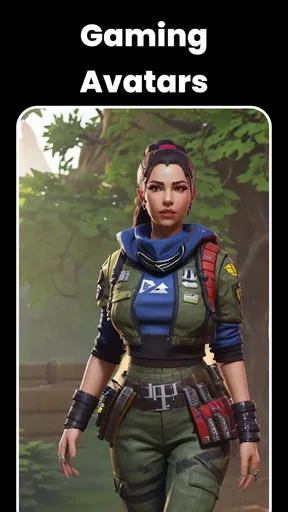
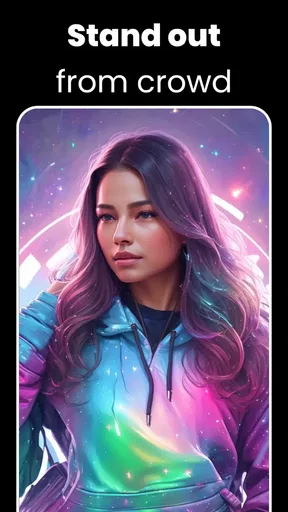
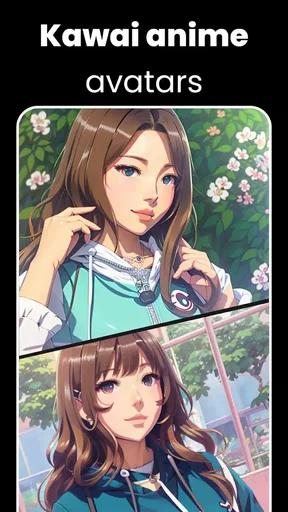
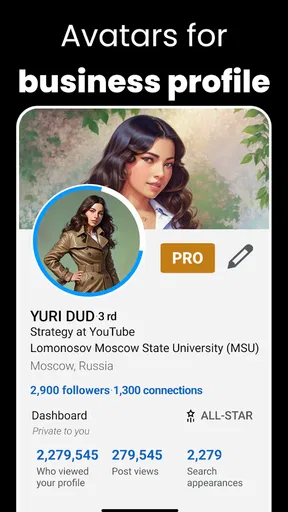
 Analysis by AppCompare
I opened AI Avatar: AI Headshots, DP with a familiar problem: I needed a profile image that looked more intentional than a quick selfie, but I did not want to arrange a photographer, lighting, and several outfit changes. This app sits in the Art & Design category and focuses on turning personal photos into AI-assisted portraits for profiles, social accounts, dating pages, and other everyday uses. My first impression was that it is less about drawing from scratch and more about giving an ordinary image a polished, avatar-like finish.
That distinction matters. If you want a traditional photo editor with precise controls, layers, brushes, and manual retouching, this is not the same kind of tool. Its appeal is speed: provide an image, choose the kind of identity you want to present, and see whether the generated result is convincing enough to use. I found that approach useful when I had a clear practical goal, although the quality depended heavily on the starting photo and on how closely the generated style matched my expectations.
From an ordinary selfie to a usable profile image
I start this section with the practical question behind the app: can an everyday selfie become a profile picture I would actually use? I’ll focus on the choices that make that handoff more dependable, especially matching the source photo and intended destination. From there, the next section looks at what to expect when the process gets demanding.
Starting with the right source photo
The most important part of the workflow happens before pressing any generation button. A clear, front-facing photo gives the app a much better basis than a dark group picture, a heavily filtered selfie, or an image where the face is partly hidden. I would prepare a small selection rather than repeatedly submitting random pictures. One image might have better expression, another better lighting, and a third a more suitable crop.
This is a practical advantage of thinking about the app as a portrait workflow rather than a magic replacement for photography. The tool can reinterpret an input, but it still needs enough visual information to preserve the person’s recognizable features. When the source is weak, the final portrait can look attractive while becoming less faithful to the actual face. That trade-off is especially important for a dating profile or professional account, where looking like yourself matters more than looking dramatically stylized.
I also recommend deciding the destination first. A profile picture for a messaging app has a different job from a headshot for a résumé, a playful avatar for a gaming community, or a social post designed to attract attention. The same generated image may work well in a circular crop and poorly in a wide banner. Making that decision early helps me judge the output by usefulness instead of simply asking whether it looks impressive on its own.
The first handoff: giving the app enough direction
Once the source image is selected, the app takes over much of the creative interpretation. That handoff is convenient because I do not need to understand detailed retouching controls, but it also means I surrender some precision. Instead of manually adjusting every part of the portrait, I am evaluating the app’s reading of my face, pose, clothing, and intended style.
Worth Reading Before You Choose

EA SPORTS FC Mobile 26 Is a Bigger Football Game, but It Takes Time

Flipboard Shows What News Apps Must Do Beyond the Feed

Switching to Android Auto Means Rethinking Your Driving Routine

Google Calendar Makes a Crowded Week Easier to Manage

Ludo King Makes the Most of the Minutes Between Plans

Baby Panda World Brings Quick Play to Modern Phones, but Its Game Library Feels Busy
This is where expectations need to stay realistic. An AI-generated headshot can make an image feel more finished, but it is not automatically appropriate for every context. A polished result may still have an expression that feels unlike me, styling that does not fit my work, or a background that competes with the face. I would treat the first result as a draft and compare it with the original before deciding whether it is genuinely better.
For a social profile, I prefer an image that preserves a little personality rather than one that looks excessively formal. For professional use, I would be stricter about facial accuracy and believable presentation. The app is most helpful when I already know the mood I want and can reject outputs that drift too far from it.
Reviewing the generated outcome instead of accepting it automatically
The useful skill here is not simply generating more images; it is learning what to inspect. I look first at the eyes and mouth because small changes there can make a portrait feel like a different person. Then I check hair edges, ears, glasses, jewelry, skin texture, and the relationship between the face and the background. These details are easy to overlook when the overall image initially appears polished.
A second check is the thumbnail test. I reduce the image mentally to the size at which it will appear in a contact list or profile circle. If the face remains clear and the expression reads naturally, the image has a practical advantage. If the appeal depends on fine background detail or dramatic styling, it may lose its impact once displayed small.
I would also avoid judging the result only against the most flattering generated option. Compare it with the original photo and ask whether it still communicates the same person. That simple handoff—from generation to human review—is where the app becomes more useful. It gives me options, but I remain responsible for choosing an image that is accurate, appropriate, and comfortable to share.
Moving the result into everyday use
The final step is not finished when the portrait appears on screen. I need to think about cropping, contrast, and the place where the image will be used. A profile service may crop the edges automatically, so a face positioned too close to the border can lose important details. A bright background may look attractive in the app but reduce readability beside a colorful interface.
My preferred workflow is to keep the strongest version, view it outside the creation screen, and check it at the size and shape of the destination profile. This catches problems that are easy to miss while concentrating on the novelty of the AI result. It also prevents me from replacing a perfectly serviceable existing photo with an image that is technically sharper but less recognizable.
For a realistic everyday scenario, imagine preparing for a new online course or joining a professional community after work. I might have only a casual selfie available, and I may want something cleaner before creating the account. This app can shorten that process: choose a suitable portrait, let the AI create a more presentable version, inspect the face and crop, then use it only if it still feels honest. That is a more sensible use than generating an exaggerated identity simply because the result looks stylish.
Where the flow becomes less dependable
The workflow breaks down when the input does not give the app a stable subject to interpret. Group photos, extreme angles, poor lighting, and faces covered by sunglasses or hair make the handoff harder. Even with a good source, the generated image may emphasize a style more than accuracy. I would not use the app as the only step for an important identity document, a formal credential, or any situation where exact likeness and strict photographic requirements are essential.
There is also a creative limitation compared with a conventional editor. In a manual app, I can make a small local correction, preserve a particular feature, or adjust the composition with predictable results. An AI-focused workflow may give me a stronger overall transformation but less control over individual decisions. Users who enjoy fine retouching will probably prefer a standard photo editor, while users who mainly want quick portrait variations may appreciate this simpler exchange.
Another point of friction is the commercial model. The app is free to install and use as a starting point, but it includes purchases ranging from a few dollars to much higher amounts per item. I would check the available choices carefully before committing to a paid generation or package. The free entry makes experimentation accessible, yet anyone planning many variations should decide in advance how much the convenience is worth.
What the app is like to live with
AI Avatar: AI Headshots, DP is made by Generative AI Magic Tools By Phot.AI, and its audience is broad enough to explain its mixed appeal. The app has passed over a million installs, while its average rating is around 3.2 from roughly ten thousand ratings. I read that combination as a sign that the concept attracts substantial interest but that the experience will not be equally satisfying for everyone. In my view, the result is highly dependent on expectations, source material, and willingness to review several outcomes rather than trusting the first one.
The app is free, carries a Teen content rating, and the current version is 2.1.38.0. It runs on Android 7.0 or newer, which makes it accessible on many older devices. Those details make it easy to try without needing a recent phone, although image generation can still feel more demanding than ordinary photo browsing depending on the device and connection. I would leave enough time for the complete workflow rather than expecting every result to appear instantly.
For a teenager or adult who wants a fresh display picture, the app can be enjoyable and practical. It is also useful for someone who has several decent personal photos but no image that feels polished enough for a new profile. The strongest benefit is the handoff from uncertainty to experimentation: instead of wondering how to pose or edit, I can start with what I already have and evaluate alternatives.
When a different tool makes more sense
I would choose a conventional editor when the goal is controlled correction rather than AI reinterpretation. That route is better for removing a small distraction, preserving exact facial details, matching brand colors, or preparing an image with precise dimensions. A camera app is a better choice when the real problem is poor lighting or an unflattering angle; improving the original capture often produces a more authentic result than transforming it later.
I would also skip this app if I need a consistent set of portraits for a team, business, or public-facing identity. AI variations can introduce differences in styling and facial presentation, while a coordinated photo session gives more predictable results. Likewise, someone uncomfortable with the idea of submitting personal portraits to an AI workflow should not feel pressured to use it merely because the output may look fashionable. A profile picture is optional, and privacy comfort is part of the decision.
On the other hand, it is a reasonable choice when speed matters more than total control. If I need a presentable avatar tonight, have a clear source photo, and am willing to inspect the result carefully, the app can save time compared with learning a complex editor. The key is to use it as a creative assistant, not as an unquestionable judge of how I should look.
My practical verdict after following the full workflow
I see AI Avatar: AI Headshots, DP as a convenient portrait experiment with a clear everyday purpose. It helps bridge the gap between an ordinary personal photo and a more polished profile image, especially when I want several visual directions without arranging a formal shoot. Its best results come from a good starting image, a specific destination, and a patient final check.
The most important habit is to judge authenticity before polish. A generated headshot succeeds when it still looks like me, fits the place where I will use it, and remains recognizable at a small size. If those conditions are met, the app offers a quick way to refresh a profile. If they are not, a normal camera or manual editor will usually be the better handoff.
I would recommend trying it to people who want a fast AI-assisted avatar and are comfortable comparing results critically. I would not recommend relying on it for exact professional photography, precise edits, or situations where identity accuracy cannot be compromised. Used with those limits in mind, it is a useful free starting point rather than a complete replacement for a photographer or a full-featured design app.
Pros
- Creates polished AI headshots without booking a professional photo session.
- Offers multiple portrait styles suitable for profiles
- resumes
- and social media.
- Fast generation makes it convenient for creating several looks at once.
- Simple interface requires little photo-editing experience.
- Useful for testing different hairstyles
- outfits
- and professional appearances.
Cons
- Results can vary noticeably depending on lighting and source-photo quality.
- Some generated faces may look artificial or differ from your real appearance.
- The best styles and features may require a subscription or paid credits.
- Uploading personal photos raises privacy concerns for cautious users.
- Generating many variations can consume credits faster than expected.
FAQs for AI Avatar: AI Headshots, DP
What is AI Avatar: AI Headshots, DP used for?
AI Avatar: AI Headshots, DP is designed to create polished profile pictures, professional headshots, and stylized AI avatars from your photos. After uploading suitable selfies, the app processes them into different visual styles that can be used on social networks, messaging apps, dating profiles, resumes, or professional platforms. Results may vary depending on image quality, lighting, facial visibility, and the selected template.
How do I create an AI headshot or avatar in the app?
To create an image, you generally need to select or upload several clear photos of yourself, follow the app’s instructions, and choose a preferred style or headshot category. The AI then analyzes your facial features and generates new images. For better results, use recent, high-resolution photos with good lighting, minimal filters, and different angles, while avoiding group photos, sunglasses, heavy makeup, or partially covered faces.
Is AI Avatar: AI Headshots, DP free to use?
The app may offer free features, trial generations, or a limited number of results, but some styles, higher-quality exports, or additional image packs may require payment. Availability of subscriptions, credits, advertisements, and in-app purchases can change by region and app version. Before generating images, review the pricing page carefully, especially the renewal terms of any free trial or recurring subscription.
Are my uploaded photos and personal details safe?
Because the app needs your photos to generate AI images, privacy is an important consideration before use. Check its current privacy policy to understand how uploaded pictures, generated avatars, account information, and usage data are stored, processed, or shared. Avoid uploading sensitive images or photos of other people without permission, and delete stored content or your account when the app provides that option.
Why do some generated avatars look inaccurate or unnatural?
AI-generated portraits are not always perfectly faithful to the original person. Inaccuracies can include changes to facial shape, hair, skin tone, accessories, clothing, or expressions, and occasional artifacts around the eyes, teeth, hands, or background. Uploading several clear and consistent photos usually improves the outcome. If a result looks unusual, try another style, replace low-quality source images, or regenerate it.


